


Posting Video's 101


Thread Starter
Super Moderator
Joined: Sep 2010
Posts: 3,609
Likes: 181
From: Houston, Texas
 Posting Video's 101
Tim taught me how to post video's on this site so I thought I would share..I use youtube for all of my video's so that's the method I will use to show you. I open up the video that I want to copy in the first window, in the second window I click the http:// url at the top of the browser. I then hold down the Ctrl key and then press the C key, that copies the url.
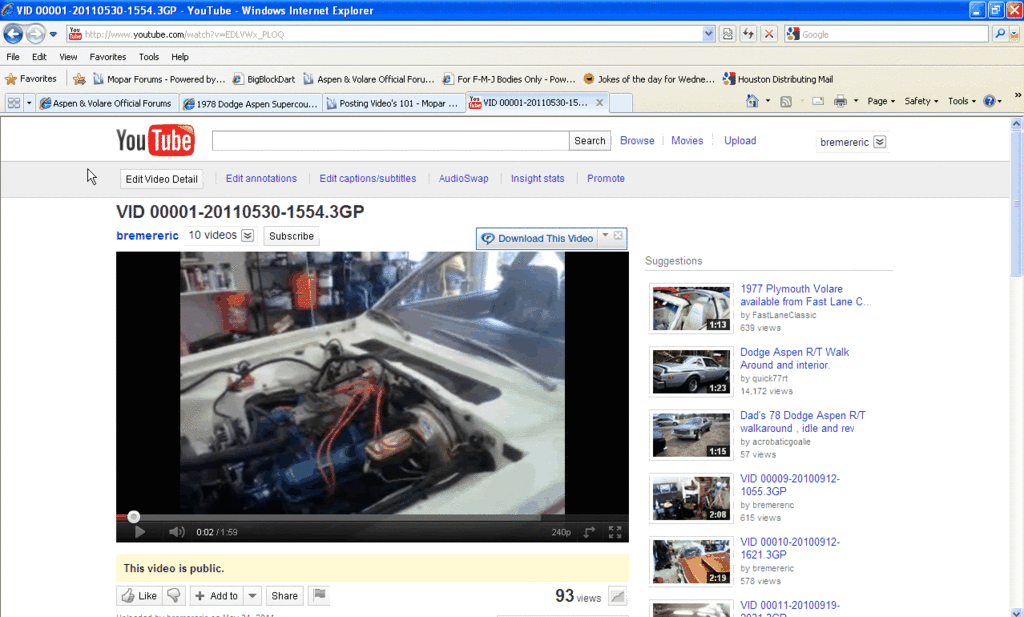

Last edited by bremereric; Aug 15, 2011 at 09:49 AM.
Thread Starter
Super Moderator
Joined: Sep 2010
Posts: 3,609
Likes: 181
From: Houston, Texas
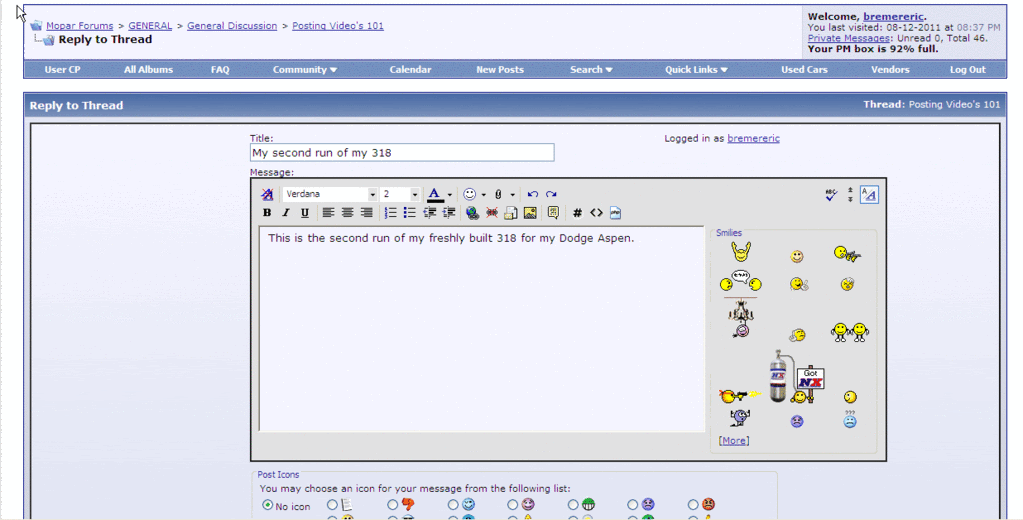
I then open up a new thread and give it a Title and then add a description of the video.
Then I pasted the video url in the body of the text....press the Ctrl key and the V key to paste it.
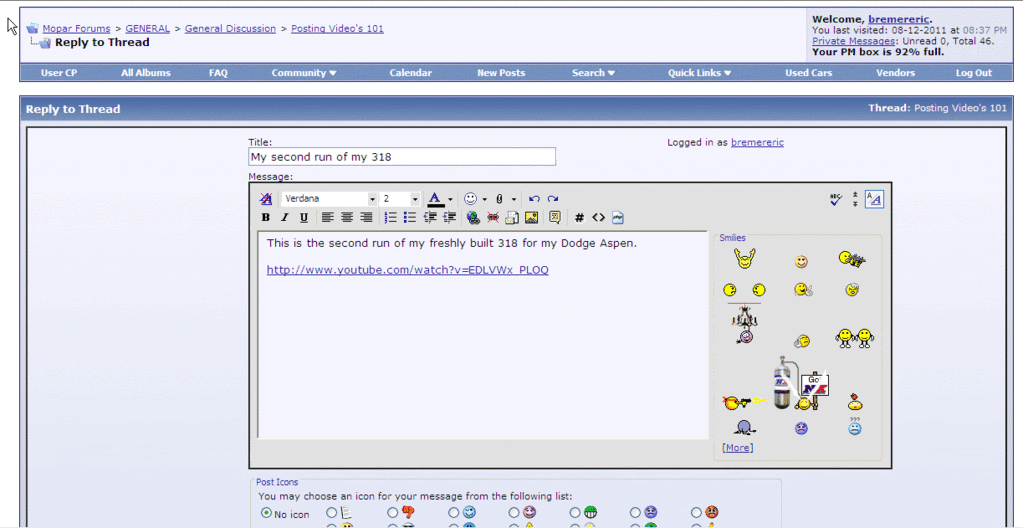
Then I pasted the video url in the body of the text....press the Ctrl key and the V key to paste it.
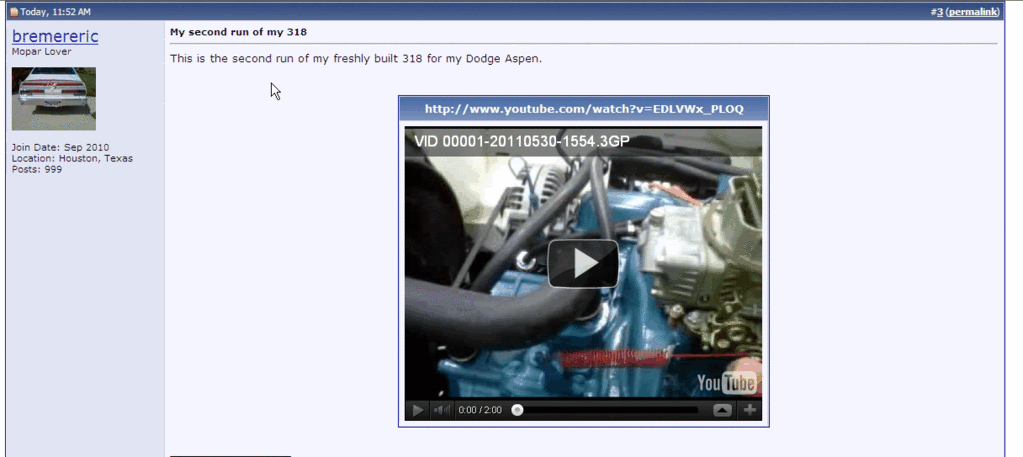

Thread
Thread Starter
Forum
Replies
Last Post


